> For the complete documentation index, see [llms.txt](https://manual.muhayu.com/copykiller-channel/llms.txt). Markdown versions of documentation pages are available by appending `.md` to page URLs; this page is available as [Markdown](https://manual.muhayu.com/copykiller-channel/student-record/check.md).
# 생활기록부 검사
{% hint style="warning" %}
* 생활기록부 검사는 \[AI생성검사]만 활용하여 검사가 진행되며, 평가 설정은 변경할 수 없습니다.
* 작성한 문서 수 만큼 이용권이 차감됩니다.
* 생활기록부 검사에서는 생활기록부 문서 유형으로 고정되어 있습니다. \
다른 문서 유형을 평가하시려면 \[문서 평가] 메뉴에서 이용하실 수 있습니다.
{% endhint %}
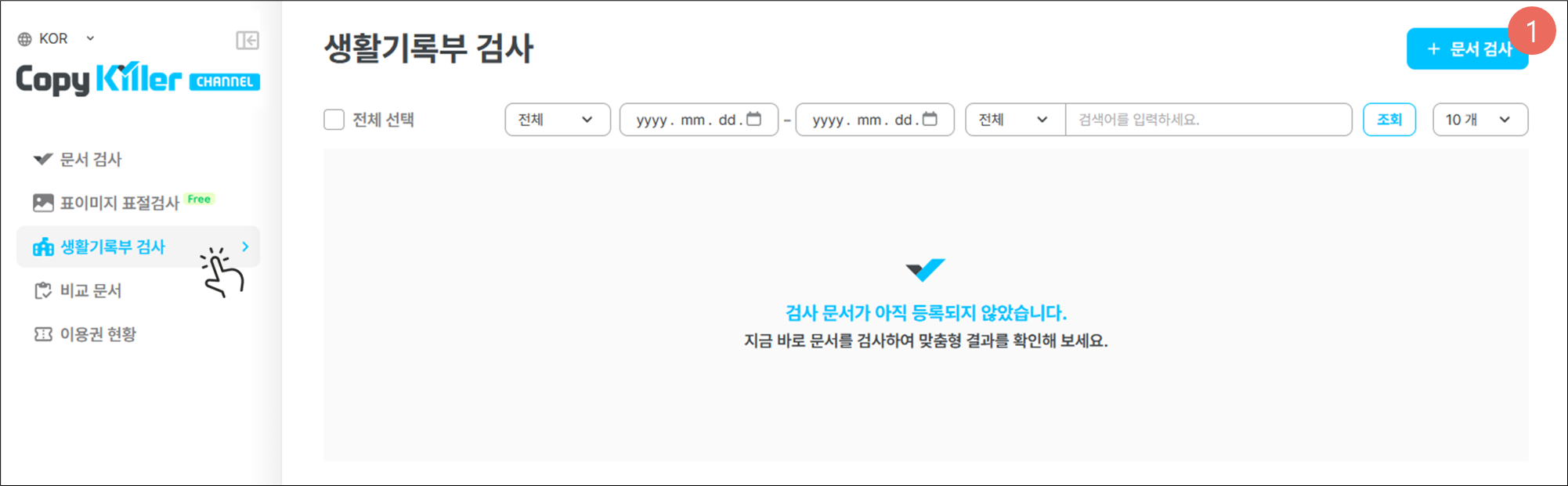
1. 좌측 \[생활기록부 검사] 메뉴 클릭 후 \[+문서 검사]를 클릭합니다.
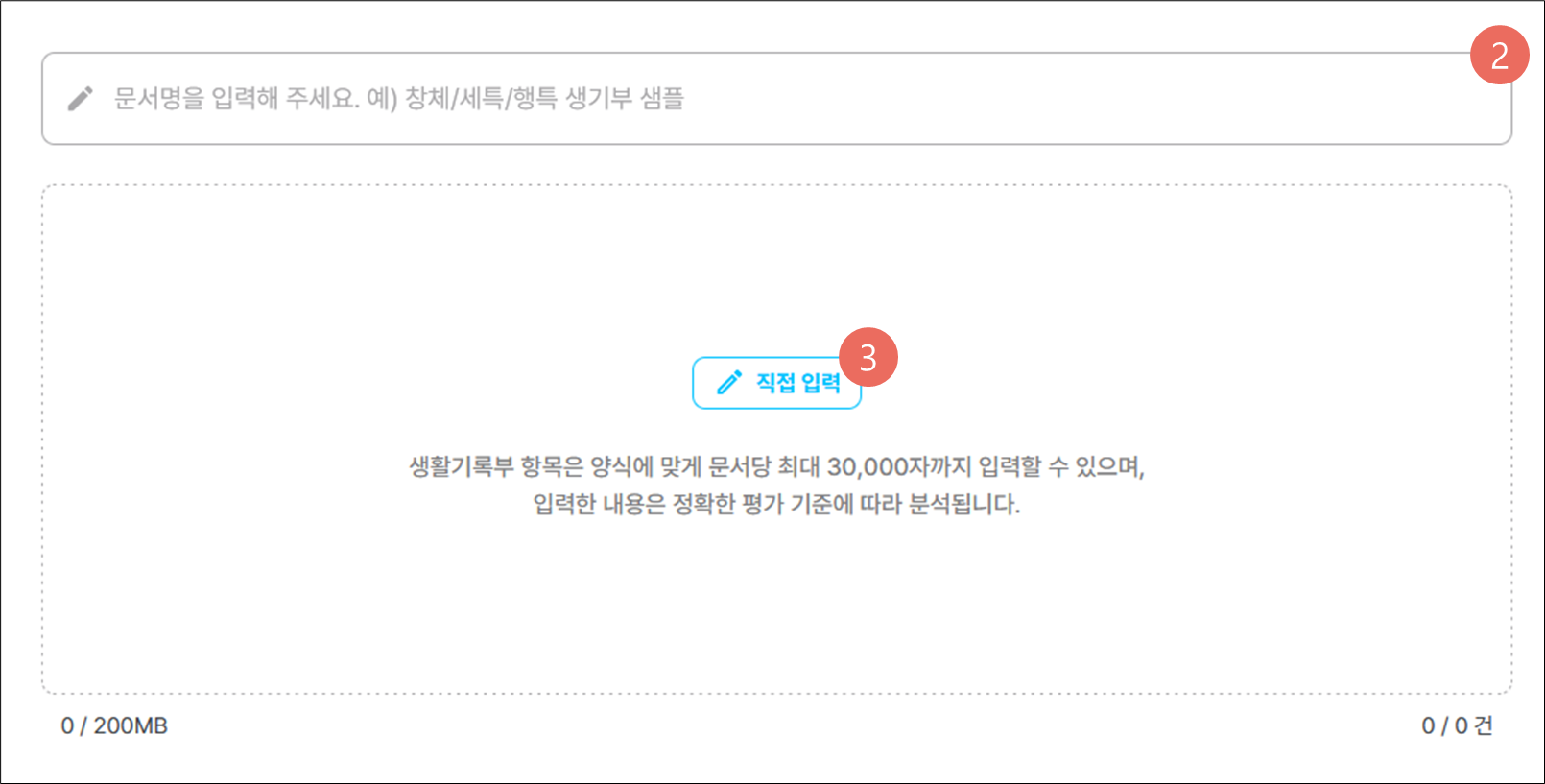
2. 검사방 제목을 입력합니다.
3. \[직접 입력]을 클릭해 생활기록부 문서를 입력합니다.
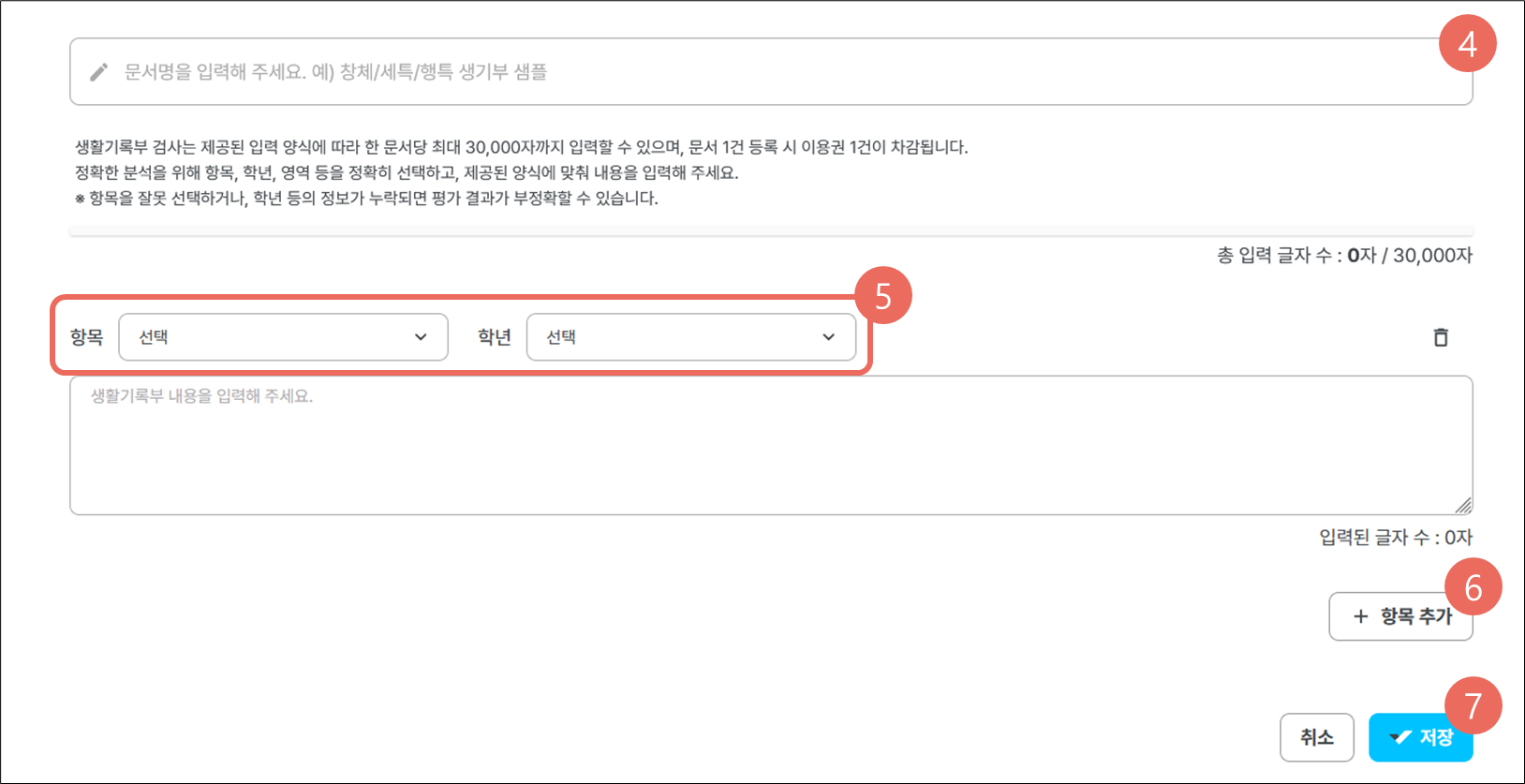
4. 여러 건의 문서를 작성하는 경우, 문서간 구분이 가능하도록 제목에 차이를 두어 작성합니다.
5. 항목, 학년, 과목 등 생활기록부 내용을 정확하게 입력해 주세요.
6. 다른 항목/학년의 생활기록부 내용을 추가로 입력하려면 \[ + 내용 추가 ] 버튼을 클릭합니다.
7. 모든 항목 입력이 완료되면 \[ 저장 ] 버튼을 클릭합니다.
{% hint style="warning" %} **정확한 평가 결과를 받기 위해 아래 항목을 빠짐없이 입력해 주세요.**\ **※ 생활기록부 평가는 직접 입력 방식만 지원되며, 항목별로 구체적인 내용 입력이 필요합니다.**
{% endhint %}
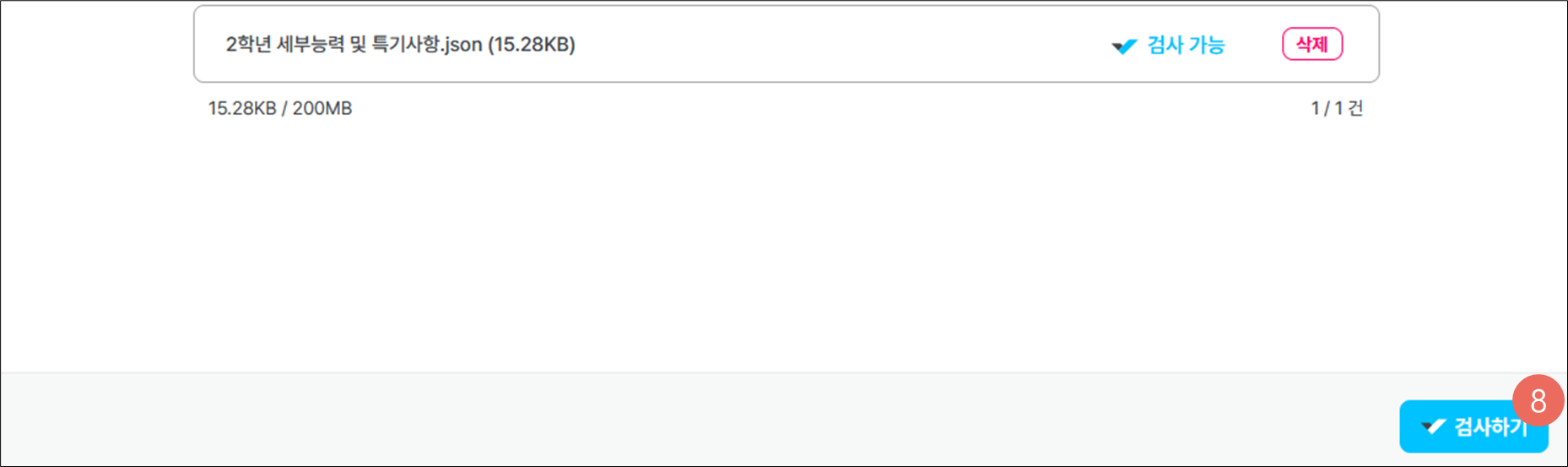
8. 직접 입력한 문서의 상태가 \[전송 중]에서 \[검사 가능]으로 변경되면 \[검사하기]를 클릭합니다.