> For the complete documentation index, see [llms.txt](https://manual.muhayu.com/copykiller-channel/llms.txt). Markdown versions of documentation pages are available by appending `.md` to page URLs; this page is available as [Markdown](https://manual.muhayu.com/copykiller-channel/student-record/undefined-1.md).

# 표이미지 표절검사

{% hint style="info" %}
표이미지 표절검사는 무료로 검사가 가능합니다.

표이미지 표절검사에서 \[GPT킬러]도 곧 만나보실 수 있으니 참고해 주세요.
{% endhint %}

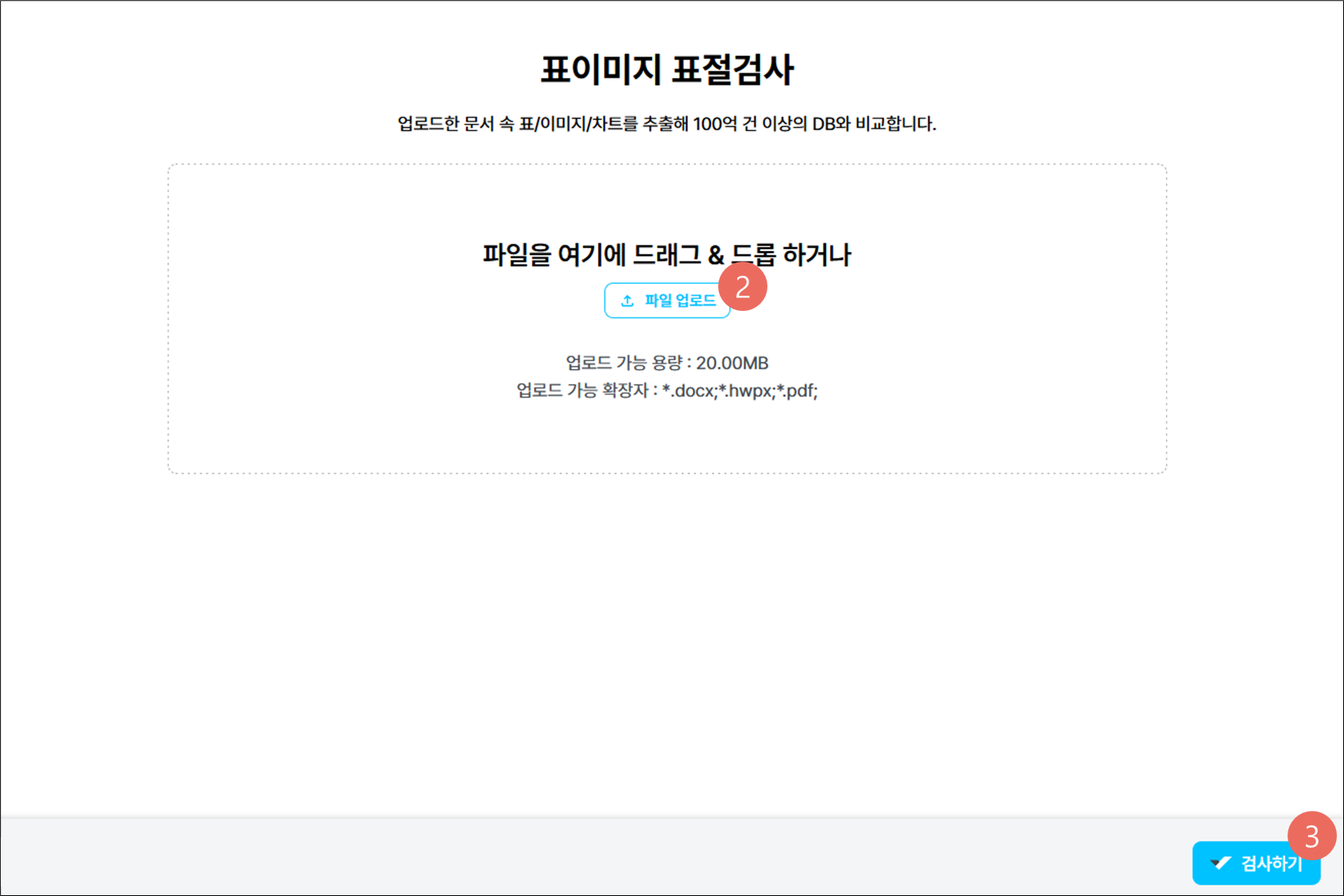
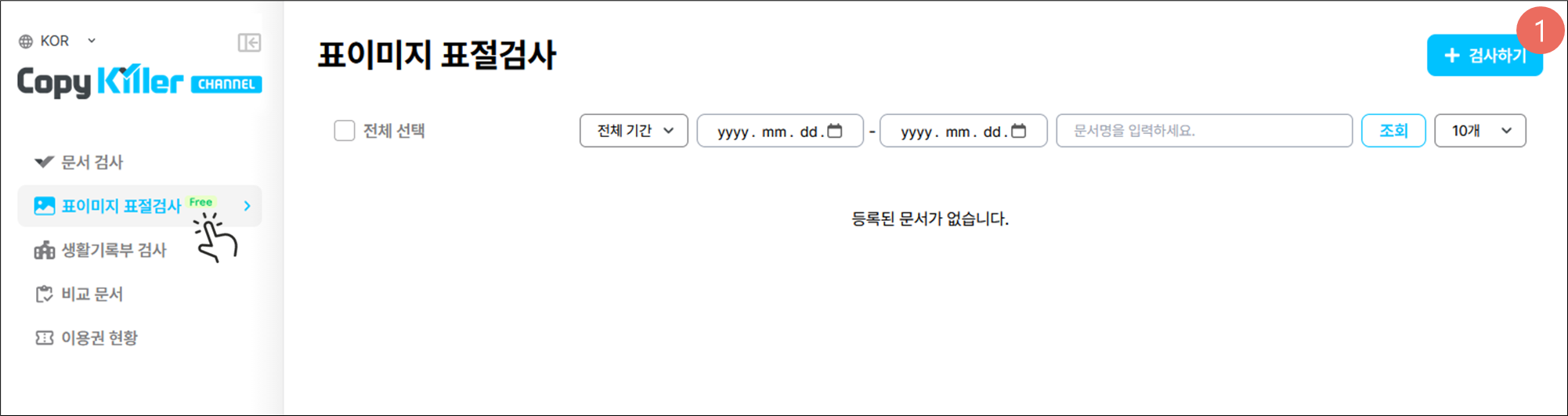
1. 좌측 \[표이미지 표절검사] 메뉴 클릭 후 \[+ 검사하기]를 클릭합니다.

<figure><img src="https://content.gitbook.com/content/Frcb3PmaGiF4YELdREMC/blobs/AYe7HvGFW4d6mcQgQzgH/image.png" alt=""><figcaption></figcaption></figure>

2. 파일 업로드를 클릭하여 문서를 업로드합니다.
3. 문서 업로드가 완료되면 \[검사하기] 버튼을 클릭합니다.

<figure><img src="https://content.gitbook.com/content/Frcb3PmaGiF4YELdREMC/blobs/0cLxiPWrMYPXpCgWjls8/image.png" alt=""><figcaption></figcaption></figure>

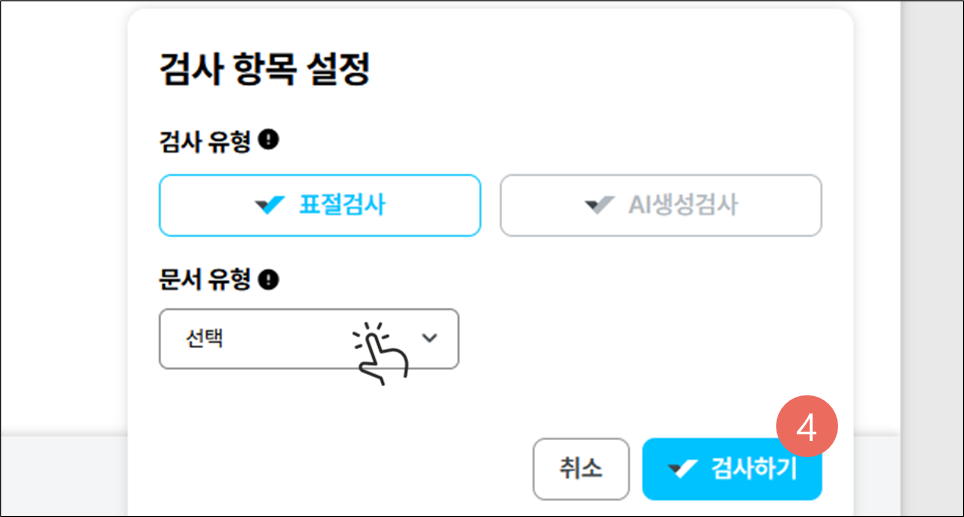
4. 문서 유형을 선택 후\[검사하기] 버튼을 클릭해 검사를 시작합니다.\
   평가 시간은 3\~5분 소요되나 문서량에 따라 지연될 수 있습니다.
<figure><img src="https://content.gitbook.com/content/Frcb3PmaGiF4YELdREMC/blobs/LkZXnejFqYNq90EzTlfG/image.png" alt=""><figcaption></figcaption></figure>

<figure><img src="https://content.gitbook.com/content/Frcb3PmaGiF4YELdREMC/blobs/mVzyBctR85f5GcYw5bpd/image.png" alt=""><figcaption></figcaption></figure>