> For the complete documentation index, see [llms.txt](https://manual.muhayu.com/copykiller-contest/llms.txt). Markdown versions of documentation pages are available by appending `.md` to page URLs; this page is available as [Markdown](https://manual.muhayu.com/copykiller-contest/check/comapre.md).
# 1:N, 1:1:1 검사 방법
{% hint style="info" %}
* 비교문서를 한 건 또는 여러 건 등록하여 특정 문서만을 비교 대상으로 선택한 뒤 검사할 수 있습니다.
* 1:1, 1:N 검사는 부당한 중복게재를 방지하기 위해 활용할 수 있습니다. 작성 중인 문서(검사문서)와 참고한 문서(비교문서)를 비교해 보세요.
{% endhint %}
## 1:N 검사방법
1. 비교하고 싶은 문서를 [비교문서](/copykiller-contest/source/upload.md)에서 등록합니다.
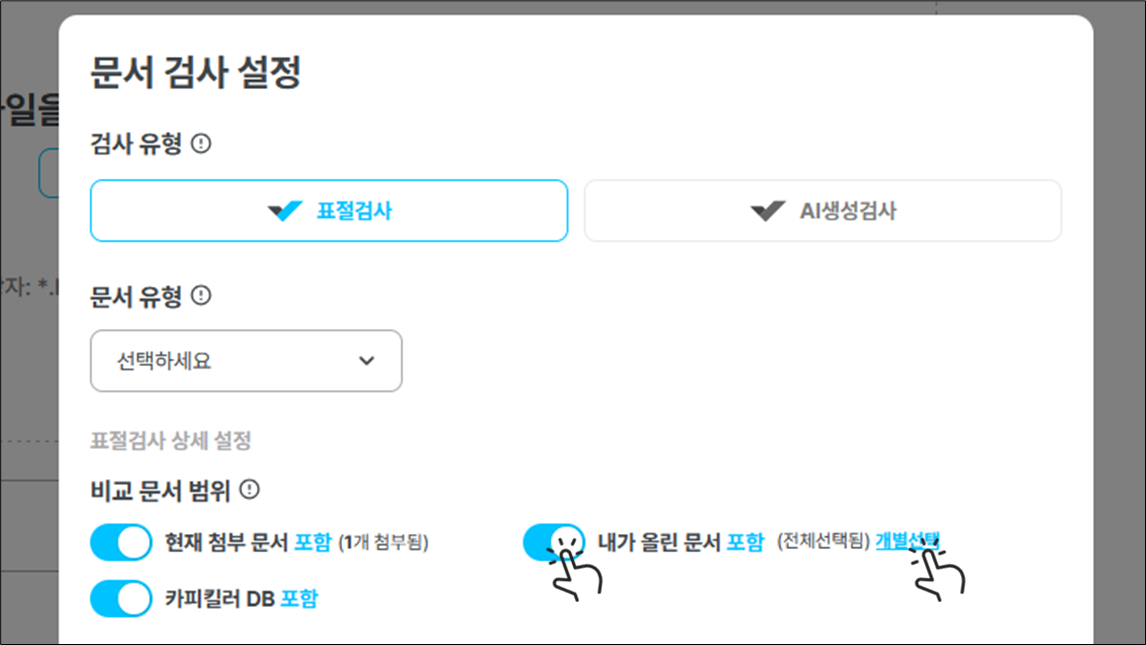
2. [문서 검사 설정](/copykiller-contest/check/upload.md#undefined-1)에서 \[내가 올린 문서]를 클릭해 포함으로 변경한 뒤 \[개별선택]을 클릭합니다.
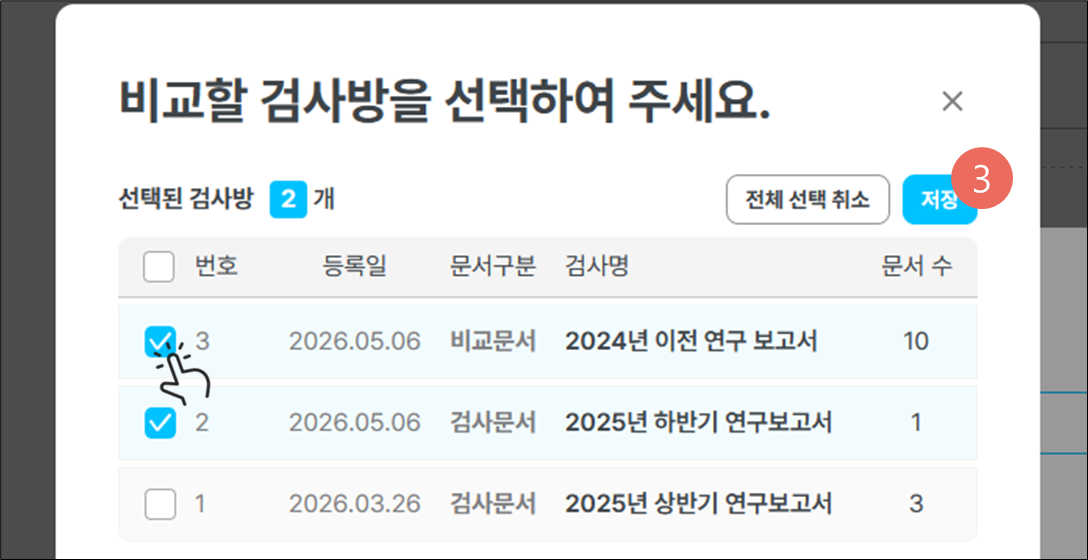
3. 사전에 등록했던 비교문서군을 체크한 뒤 \[저장]합니다.
* 문서를 선택하지 않으면 내가 업로드한 모든 문서와 비교 됩니다.
4. \[검사 시작]을 클릭 후 검사를 진행합니다.
## 1:1:1 검사방법
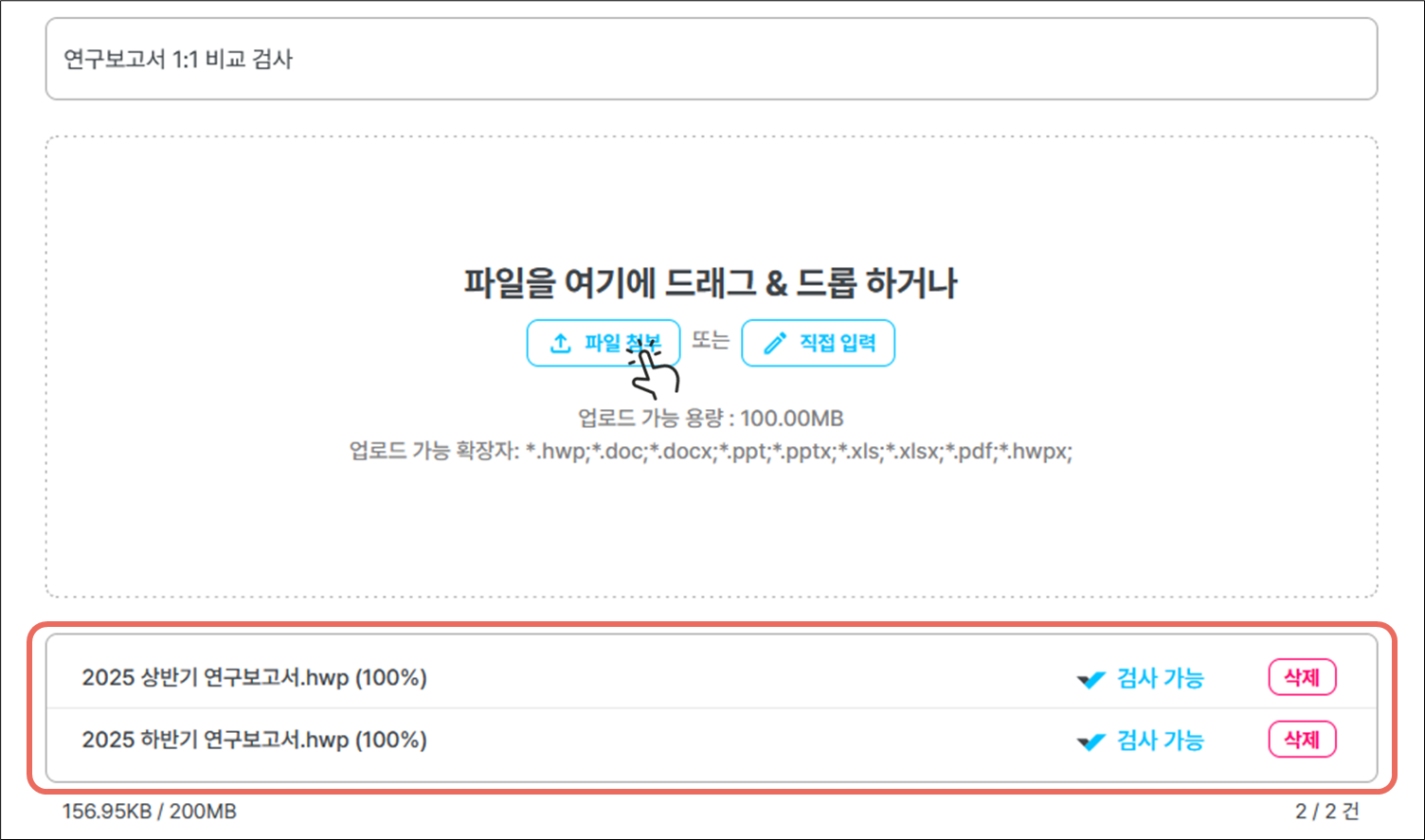
1. 파일 업로드 시 비교하고 싶은 문서 군을 모두 업로드합니다.
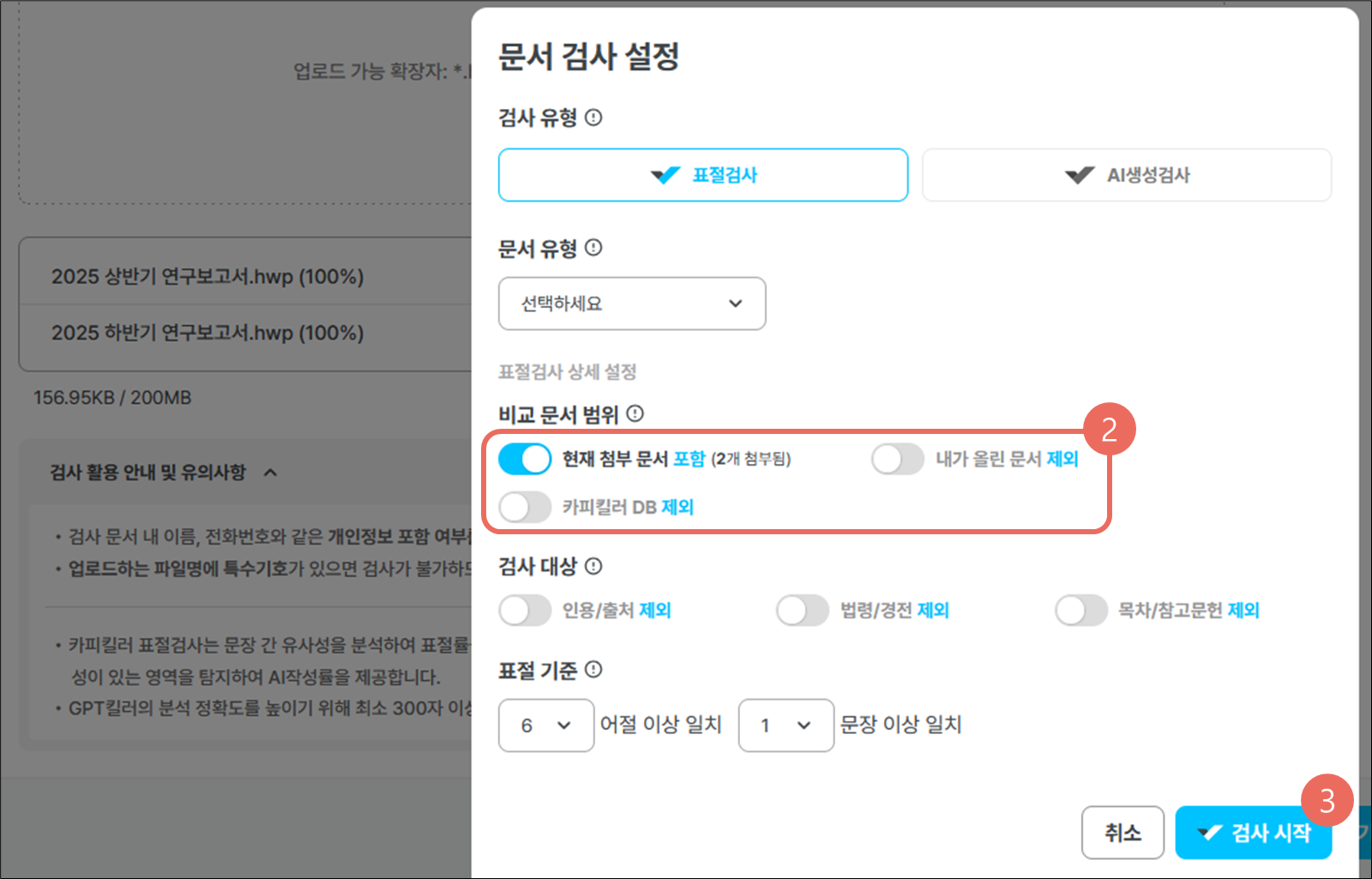
2. 문서 검사 설정에서 \[현재 첨부 문서]를 포함으로 변경한 뒤 나머지는 모두 제외로 변경합니다.
3. \[검사하기]를 클릭합니다.