> For the complete documentation index, see [llms.txt](https://manual.muhayu.com/copykiller-contest/llms.txt). Markdown versions of documentation pages are available by appending `.md` to page URLs; this page is available as [Markdown](https://manual.muhayu.com/copykiller-contest/source/upload.md).

# 비교 문서 등록

{% hint style="info" %}
**비교문서란?**

표절 검사 시, 비교할 대상 문서를 회원님이 직접 등록하는 기능입니다. \
외부에는 공개되지 않은 회원님의 기관/학교의 문서를 등록하여, 표절 검사에서 검출되게 할 수 있습니다.
{% endhint %}

1. 좌측 \[비교 문서] 메뉴 클릭 후 \[+ 비교 문서 등록]을 클릭합니다.

<figure><img src="https://39349880-files.gitbook.io/~/files/v0/b/gitbook-x-prod.appspot.com/o/spaces%2FOf0vjWWZGnK25F2DO92I%2Fuploads%2FtuPP2IN7DGY7Yge0jZYp%2Fimage.png?alt=media&amp;token=c769c441-64a3-4aa3-8828-3b01338f089f" alt=""><figcaption></figcaption></figure>

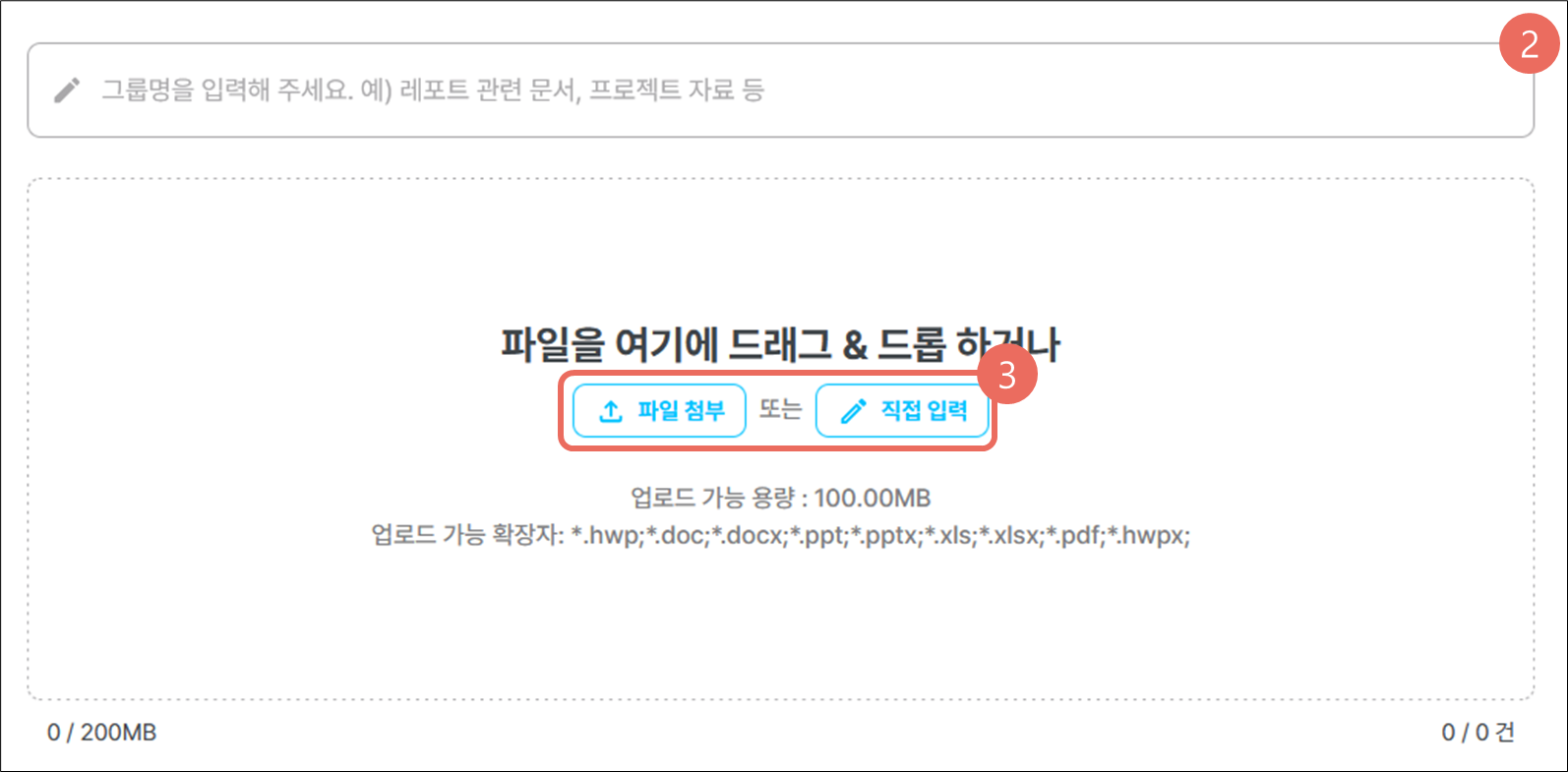
2. 비교문서 그룹명을 입력합니다.
3. \[파일 선택] 또는\[직접 입력]을 클릭해 문서를 업로드합니다.

<figure><img src="https://content.gitbook.com/content/Of0vjWWZGnK25F2DO92I/blobs/OrRhzKDEweMiSDp3oF3n/image.png" alt=""><figcaption></figcaption></figure>

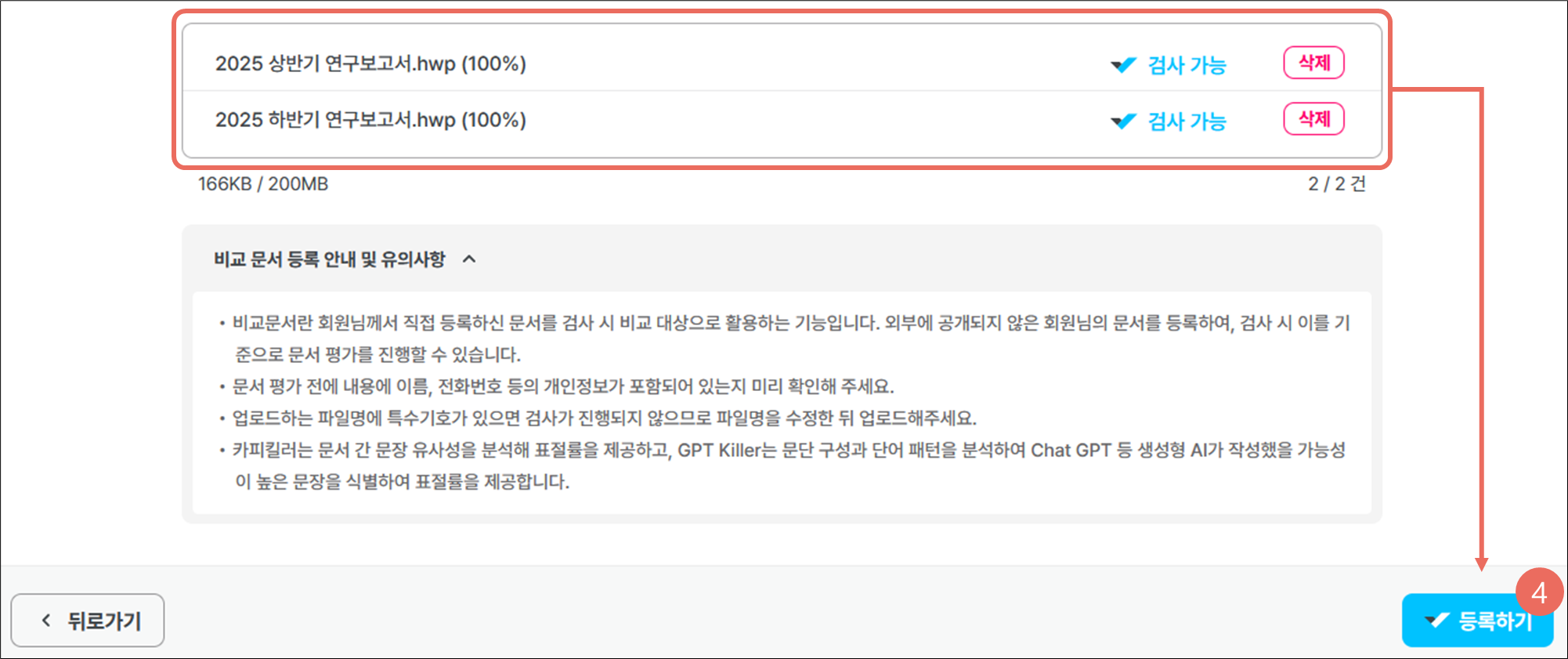
4. 업로드 한 문서의 상태가 \[검사 가능]으로 변경되면 \[등록하기]를 클릭합니다.\
   비교 문서로 등록한 문서는 문서 업로드시 내가 올린 문서를 활성화 해서 1:N검사로 활용할 수 있습니다.

<figure><img src="https://content.gitbook.com/content/Of0vjWWZGnK25F2DO92I/blobs/6x3W1mLibKxXvfR3GcJ3/image.png" alt=""><figcaption></figcaption></figure>

<figure><img src="https://content.gitbook.com/content/Of0vjWWZGnK25F2DO92I/blobs/odMN11kS4xUohPSgX784/image.png" alt=""><figcaption></figcaption></figure>